

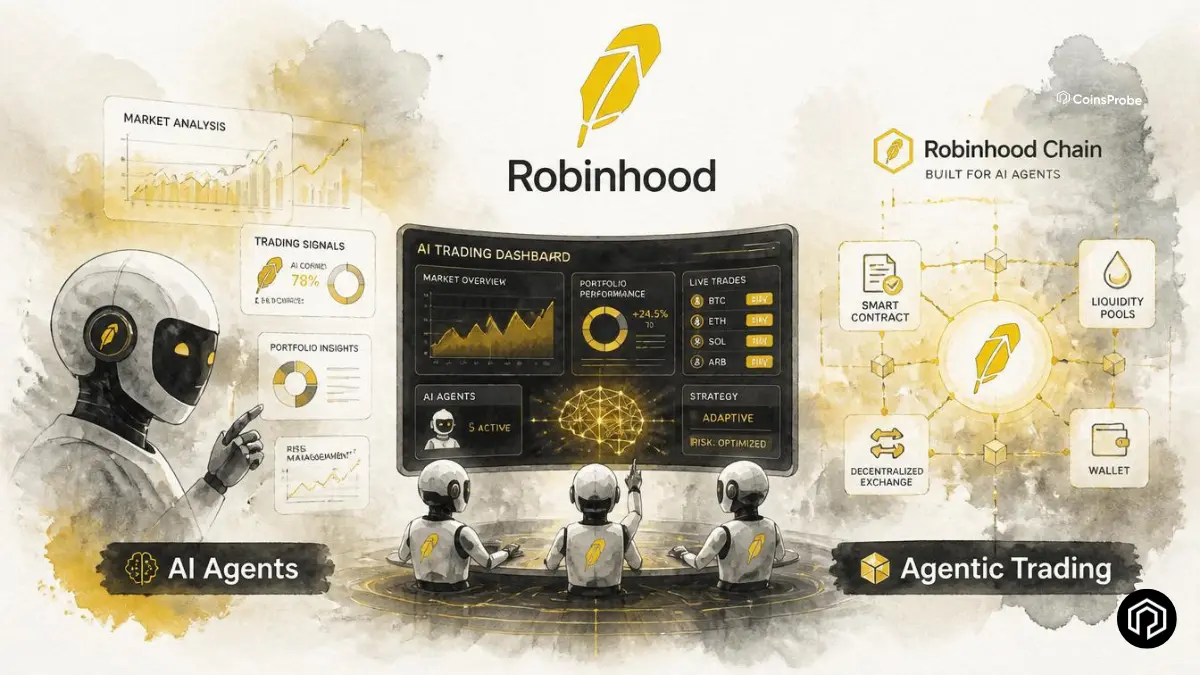

- Robinhood has launched Agentic Trading, allowing users to connect AI agents like ChatGPT, Claude, Grok, and Cursor to research and execute trades.
- The feature is free for eligible US users, with stocks and options live now and crypto support coming soon.
- Users remain in control through trade approvals, real-time P&L tracking, and a dedicated AI trading account.
- While powerful, users are fully responsible for all trades, as Robinhood does not supervise or guarantee third-party AI agents.
Robinhood has taken one of the most significant steps in mainstream retail investing this year: giving everyday investors the ability to connect an AI agent directly to a live brokerage account — with real money, real order execution, and real trades happening automatically based on natural language instructions. Here is everything you need to know to understand, set up, and use the feature responsibly.
What Is Robinhood Agentic Trading?
Robinhood’s Agentic Trading feature allows users to connect a supported third-party AI agent to a dedicated, separate Robinhood brokerage account — called the Agentic account — through which the agent can research markets, build portfolios, and execute real trades on the user’s behalf.
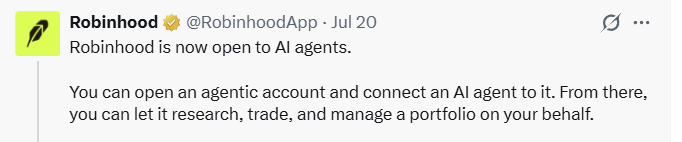
(X)
The feature is built on the Model Context Protocol (MCP) — an open standard that allows AI platforms to connect to external tools and services. Because MCP is widely supported, Agentic Trading is compatible with some of the most popular AI platforms currently available.
What your connected AI agent can do:
Once properly connected, the agent can analyse markets and news sentiment, build custom portfolios based on your stated goals or themes, place equities and options trades, rebalance portfolios automatically, run scheduled or conditional strategies, monitor positions for risks and opportunities, and provide real-time portfolio insights and performance tracking.
Every trade executes through a real Robinhood brokerage account using standard order types. You receive a push notification for every single trade — and can view real-time P&L and activity in the Robinhood app at any time.
What You Need Before You Start
Before connecting an AI agent, make sure you have the following in place:
A Robinhood individual investing account in good standing — the primary account is required before a dedicated Agentic account can be created. Note that you can hold up to 10 self-directed individual accounts, including the Agentic one.
A compatible AI platform that supports MCP connections — examples include Claude, ChatGPT, Grok, and Cursor, among others.
Desktop browser access — account creation and initial authentication must be completed on a desktop browser. Mobile users can copy the connection link and complete setup through the desktop.
A commitment to active monitoring — this feature is not a set-it-and-forget-it tool. Active oversight is essential, particularly in the early stages.
Step-by-Step Setup Guide
Step 1 — Choose and prepare your AI platform
Set up an account on a supported AI platform. Many require enabling developer mode or advanced features before MCP connections are available. Check the platform’s documentation for the specific enabling steps.
Step 2 — Connect to Robinhood’s Trading MCP
Use this link to connect: https://agent.robinhood.com/mcp/trading
The connection method varies slightly by platform but typically takes under a minute. Platform-specific instructions are detailed below.
Step 3 — Open your dedicated Agentic account
After connecting the MCP, follow the on-screen prompts to create and authenticate your new Robinhood Agentic account. This is a completely separate self-directed account — the agent operates here, not in your primary brokerage account.
Step 4 — Fund the account
Transfer funds into your new Agentic account. A critical principle here: only transfer money you are genuinely comfortable having the agent trade with — including the possibility of losing it entirely.
Step 5 — Give your agent instructions
Once funded, interact with your agent using natural language. Examples of effective instructions:
- “Analyse the current market and suggest a diversified portfolio”
- “Build a portfolio focused on AI and tech stocks”
- “Rebalance my holdings weekly to maintain target allocations”
- “Place a limit order for 50 shares of [ticker] if it drops below $X”
The more specific and clear your instructions — including explicit boundaries and constraints — the more reliably the agent will execute your intent.
Platform-Specific Connection Instructions
Claude (Desktop / Claude Code): Use terminal commands or settings to add the MCP server with the Robinhood trading URL. Full instructions are available on Robinhood’s support page.
ChatGPT: Enable Developer Mode → Settings → Apps → Create app → add the MCP link.
Grok: In chat, click the + icon → Add connector → Custom → paste the MCP link.
Cursor: Settings → Tools & MCPs → Connect using the provided link.
Other platforms: Most AI platforms that support MCP connections can be configured by adding https://agent.robinhood.com/mcp/trading as a custom MCP server through the platform’s settings or connector menu.
Full platform-specific guides are available at: robinhood.com/us/en/support/articles/agentic-trading-overview/#ConnectyourAIagent
Staying in Control — Monitoring Best Practices
Agentic Trading is designed with user oversight as a core principle — but that oversight requires active engagement, not passive assumption:
Every trade generates a push notification — enabling real-time awareness of every action the agent takes in your account.
View all activity in the Robinhood app — orders, real-time P&L, and account activity are all visible and updated continuously.
Adjust or pause at any time — you can modify your agent’s instructions, pause it entirely, or manually intervene on any position at any point. The agent does not override your ability to act directly.
Review the Agentic account regularly — particularly in the early days of using the feature, treat the agent as requiring supervision rather than fully autonomous operation.
The Risks — Read This Before Starting
Robinhood is explicit and direct about the risks of Agentic Trading — and those risks are substantial enough to warrant careful consideration before funding the account:
You are fully responsible for all trades and losses — including the potential total loss of invested capital. The agent acting on your behalf does not reduce your legal or financial responsibility for the outcome of those trades.
AI agents make mistakes — they can misinterpret instructions, act on incomplete or outdated market information, or execute strategies that produce unintended outcomes. No AI system is infallible, and that imperfection has direct financial consequences in a live trading context.
Automated strategies can move fast — a strategy executing quickly in adverse market conditions may be difficult to monitor or stop before significant losses accumulate.
Robinhood does not control or audit the AI agents — the AI platforms themselves are governed by their own terms of service, privacy policies, and data handling practices, not Robinhood’s. Data shared with your AI provider is subject to that provider’s terms.
Options trading involves substantial risk — and is not appropriate for all investors regardless of whether a human or AI is placing the trades.
Getting Started Responsibly — The Practical Checklist
Given the risk profile above, a responsible approach to Agentic Trading involves a few non-negotiable principles:
Start small — fund the Agentic account with an amount you are genuinely comfortable losing entirely. Treat it as an experiment with defined downside rather than a primary investment vehicle from day one.
Set clear guardrails in your prompts — explicit constraints in your instructions (e.g., maximum position sizes, asset types to avoid, stop-loss thresholds) give the agent boundaries that reduce the risk of unexpected outcomes.
Monitor actively, especially initially — the push notification system is useful, but reading every notification and understanding what the agent is doing is more important than simply receiving them.
Understand what you are deploying — before giving an agent instruction to execute a strategy, make sure you understand what that strategy involves and what its downside scenarios look like.
Additional Resources
- Main Agentic Trading page: robinhood.com/us/en/agentic-trading
- Official Robinhood announcement: x.com/RobinhoodApp/status/2079195918595764300
- MCP connection link: https://agent.robinhood.com/mcp/trading
- Platform-specific setup guide: robinhood.com/us/en/support/articles/agentic-trading-overview/
Bottom Line
Robinhood’s Agentic Trading feature is one of the most significant developments in retail investing accessibility in years — bringing AI-powered portfolio management and automated trade execution to mainstream investors through familiar platforms like Claude, ChatGPT, and Grok. The MCP-based integration is technically elegant, the real-time notification system provides meaningful oversight capability, and the free access for eligible US users removes the cost barrier entirely.
But the risks are real and the responsibility is entirely yours. Start with a funded amount you can afford to lose, give clear and bounded instructions, and monitor actively — particularly until you have a confident understanding of how your chosen agent interprets and executes your strategies.
Frequently Asked Questions
What is Robinhood Agentic Trading?
A feature that lets you connect third-party AI agents — including Claude, ChatGPT, Grok, and Cursor — to a dedicated Robinhood brokerage account to research markets, build portfolios, and execute real trades on your behalf using the open MCP standard.
How do I connect an AI agent to Robinhood?
Use the MCP connection link https://agent.robinhood.com/mcp/trading through your chosen AI platform’s settings or connector menu — the process typically takes under a minute once your platform supports MCP connections.
Is Robinhood Agentic Trading free
Yes — the feature is free for eligible US Robinhood customers with an individual investing account in good standing.
Which AI platforms are compatible for AI Agent trading on Robinhood?
Claude, ChatGPT, Grok, Cursor, and any other platform that supports the open MCP standard — which covers most major AI platforms with developer or advanced features enabled.
What assets can AI agents trade on Robinhood?
Equities and options are live now — crypto and additional asset types are coming soon according to Robinhood’s roadmap.
The opinions and market insights shared on CoinsProbe represent the views of individual authors based on prevailing market conditions at the time of publication. Cryptocurrency investments carry significant risk and volatility. Readers are encouraged to conduct their own research and seek professional financial advice before making investment decisions. CoinsProbe and its contributors do not accept responsibility for financial losses or decisions made based on published content.
CoinsProbe may publish sponsored articles, affiliate links, or promotional collaborations. All sponsored material is clearly labeled to maintain transparency with our audience. Our editorial decisions remain fully independent, and advertising partnerships do not influence reviews, rankings, or published opinions.
Since 2023, CoinsProbe has delivered reliable insights on cryptocurrency, blockchain, and digital assets. Our content is created by experienced researchers and analysts who follow strict editorial standards focused on accuracy, transparency, and credibility. Every article is carefully reviewed and verified using trusted sources and current market data. We provide unbiased analysis and timely updates covering everything from emerging crypto projects to major industry developments.
![5 Best Crypto Exchange Development Companies in India [2024]](https://coinsprobe.com/wp-content/uploads/2024/02/5-Best-Crypto-Exchange-Development-Companies-in-India-300x300.jpg)